

In today’s digital world where cyber threats are constantly evolving, managing your passwords securely is more important than ever. With data breaches and identity theft on the rise, many people are turning to password managers for help. But are they truly safe?
The Case for Password Managers
Password managers are widely regarded as a safer alternative to traditional password storage methods. Instead of relying on memory or insecure notes, these tools store your credentials in encrypted vaults, accessible only through a master password. They help users follow best practices like:
- Using long, complex passwords
- Avoiding password reuse
- Enabling multifactor authentication (MFA)
- Keeping devices secure and updated
According to the World Economic Forum, 80% of breaches “are perpetrated from weak and stolen passwords.” Password managers help eliminate this risk by generating and storing strong, unique passwords for each account.
How Password Managers Work
Password managers operate by encrypting your data – often using robust protocols like AES-256 – and storing it securely either locally, in the cloud, or within your browser. Most modern managers also support MFA and biometric authentication, adding extra layers of protection.
Importantly, many password managers use zero-knowledge architecture, meaning even the provider cannot access your stored data. If their servers are breached, your encrypted vault remains unreadable without your master password.
Types of Password Managers
There are three main types:
- Browser-based: Convenient and free, but limited to one browser and less secure than dedicated apps.
- Cloud-based: Accessible across devices and browsers, often with advanced features like dark web monitoring.
- Local: Offers maximum control and privacy, but risks data loss if the device fails or isn’t backed up.
Benefits of Using a Password Manager
- Simplifies password management
- Encourages strong password habits
- Provides secure backups
- Reduces human error
With a password manager, you don’t need to remember dozens of complex passwords. You only need one strong master password to unlock your vault.
Risks to Consider
While password managers are generally safe, they’re not risk-free:
- Device compromise: Malware can steal your master password.
- Provider breaches: Though rare, some password manager companies have been targeted.
- User error: Forgetting your master password or disabling MFA can leave you vulnerable.
Password Manager Reviews
If you’re considering a password manager, we recommend researching options to find what works best for your situation.
Check out this thorough review by Wirecutter for their analysis and top picks for the best subscription-based and free password managers. If you have any questions, don’t hesitate to reach out to us.
Final Thoughts
Password managers are not 100% secure – nothing in the digital world is. But when used correctly, they significantly reduce your risk of falling victim to cybercrime. Choose a reputable provider, enable MFA and follow password hygiene best practices to stay protected.
If you’re still storing passwords in a spreadsheet or using “123456” or “password” across multiple accounts, it’s time to upgrade your security strategy. A password manager might just be your best defense.
Related Articles

More Power Technology Group Earns Finalist Recognition in 2026 MSP Titans of the Industry Awards
[Longview, Washington] - More Power Technology Group has been named a finalist in the 2026 MSP Titans of the Industry Awards, a distinguished program recognizing outstanding achievement, innovation, and leadership within the Managed Service Provider industry. The...
Important Microsoft Updates: Publisher Retirement & Upcoming Passkey Changes
We wanted to share two important Microsoft changes that may affect your business over the coming months and help you prepare ahead of time. Microsoft Publisher Will Be Retired in October 2026: Microsoft has announced that Publisher will reach end of life on October 1,...
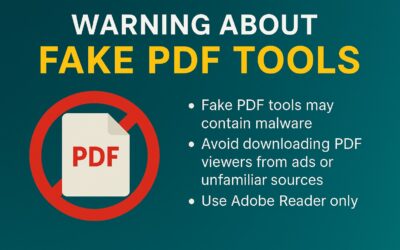
Stay MoreAware: Malware Disguised as PDF Tools in Google Ads
Our team wants to make you MoreAware of a growing trend: malware attacks targeting PDF tools. What’s happening?: On August 27, 2025, cybersecurity researchers at Truesec uncovered a malvertising campaign abusing Google Ads to promote fraudulent websites. These sites...