
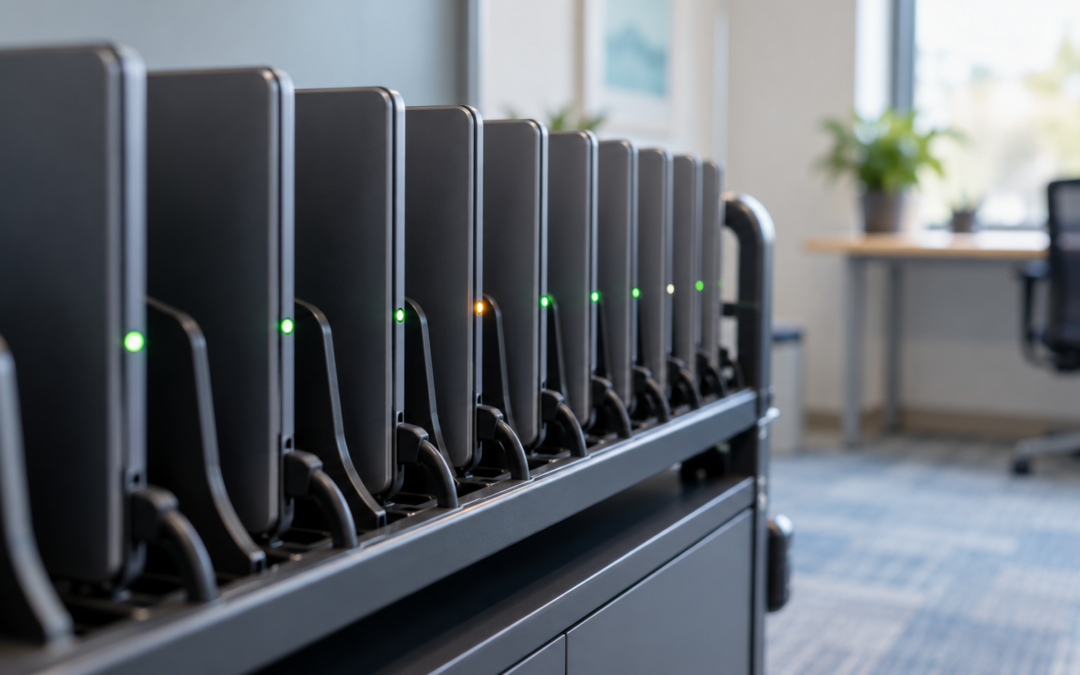
Endpoint monitoring can tell you which covered devices are reporting, whether selected security tools are operating, and what activity may need review. The details depend on the product, its configuration, and the service you have purchased.
For a business owner, finance director, or city administrator, that information should help answer practical questions, such as: Are important devices missing from coverage? Is a recurring issue being addressed? Does a finding require an operational or budget decision?
A quiet report does not establish that the whole organization is secure. To use it well, you need to understand what the report covers and what should happen after it identifies a problem.
What to look for
- Coverage information tied to a current inventory, with missing or stale devices identified.
- Clear separation between device health, security events, and findings that still need evaluation.
- An agreed process for follow-up, including who can authorize and perform work outside a monitoring-only scope.
What counts as an endpoint?
In this guide, endpoints include desktop computers, laptops, and servers that run organizational workloads or access organizational information. Mobile and field devices, such as tablets, may also be included, depending on the tool and service scope.
Ask for the supported device and operating-system list. The presence of a device on your network does not mean your provider’s endpoint agent can monitor it.
Cameras, network equipment, access-control devices, and industrial control systems may require different monitoring methods. A utility’s control equipment, for example, should not be treated as covered simply because its office computers have an agent. Those environments need separate technical scoping.
These distinctions matter when someone says “all devices are covered.” Ask which devices are in that statement and which are not.
Endpoint health and endpoint security answer different questions
Health monitoring concerns operations: whether a computer is online, whether a drive is nearly full, or whether a service has stopped. Security monitoring looks for activity or conditions that may indicate a threat.
|
Report item |
What it can help you understand |
What it does not establish by itself |
|
Device is online |
The device can communicate with the monitoring system |
That no malicious activity is present |
|
Agent is reporting |
The installed agent is communicating |
That every required control is configured correctly |
|
Security alert appears |
An event or behavior met a detection rule |
That a breach has been confirmed |
|
Update is reported missing |
A reported maintenance condition needs review |
That the provider has installed the update |
|
Alert is closed |
A record has reached a workflow status |
That all related issues have been remediated |
Read health and security information together, but do not use one as a substitute for the other. A device can continue performing its usual work while an issue needs investigation.
What endpoint telemetry can reveal
Telemetry is information that a device or security tool reports about activity and status. Depending on the product, that may include process activity, file events, detections, and changes that help an analyst understand what happened.
Todyl describes its Endpoint Security product as combining endpoint detection and response (EDR) with next-generation antivirus (NGAV) in a single agent. Its documentation describes endpoint telemetry collection, behavioral detection, and response capabilities.
Behavioral detection looks at activity, rather than relying only on recognition of a known malicious file. This can help identify suspicious behavior, but it is not a promise that every threat will be detected. The meaning of a signal still depends on context.
For leadership, the important outputs are easier to describe than the underlying technology:
- Coverage and agent status: which expected devices are reporting and which need attention.
- Security events: detections or actions recorded by the tool, where those capabilities are enabled.
- Activity requiring review: an unfamiliar process, an unexpected change, or another event that needs evaluation.
- Patterns over time: repeated findings, recurring gaps, or conditions that have remained unresolved.
This is a general description of information to ask about. It is not a commitment that every item appears in every monitoring package.
An alert needs evaluation before it becomes a conclusion
An alert means that something met a detection condition. It may indicate malicious activity, but it can also involve legitimate activity that needs context.
For example, a technician’s administrative tool may behave in a way that also appears in an attack. The reviewer needs to know whether the tool was expected, which account ran it, which device was involved, and what happened around the event.
Ask how your service handles that review. Does it forward an automated alert, add an analyst’s assessment, or include further investigation? Those are different levels of work. Also confirm what information the provider needs from your team to evaluate a finding.
MPTG’s published Sentry description includes analyst review and notification about issues needing attention. That description should not be read as a promise of a full incident investigation or continuous staffed response. Confirm the review hours and escalation arrangements in your service documentation.
Four limits to keep in mind
1. Endpoint information is only part of your security picture
A report about covered computers does not assess everything your organization depends on. Account access, email, cloud applications, backups, physical access, and vendor connections may require other evidence.
NIST’s Cybersecurity Framework brings together governance, identification, protection, detection, response, and recovery. Detection is one part of that broader risk-management work.
2. Activity outside the monitored devices may be missing
An account used to access cloud data from another device may not produce the endpoint evidence you expect. Establish which cloud, identity, and network sources are included before relying on the report to answer those questions.
The absence of an endpoint alert is not proof that no account activity occurred elsewhere.
3. A status change is not a complete remediation record
Some tools can record a block, quarantine, or other response action. That is useful evidence. It does not necessarily establish that the full issue has been resolved or that related accounts and systems were checked.
Look for the work record: what was done, who did it, what was verified, and what remains open. A closed alert alone may not answer those questions.
4. A report does not establish overall compliance
Monitoring information may support particular requirements or provide evidence for a review. It does not, on its own, establish that all applicable obligations have been met. Ask your compliance owner which records are needed and how they fit into the broader program.
Under Sentry, compliance implementation and certification are outside the monitoring-only agreement unless separately contracted.
How to read an endpoint coverage percentage
A coverage figure is useful only when you know what is being counted. Ask your provider to compare the monitoring console with a current inventory, rather than reporting only the devices already enrolled in the tool.
A practical measure is:
Reporting coverage = endpoints meeting the agreed check-in requirement ÷ endpoints expected to be monitored × 100.
For an illustrative calculation, suppose the inventory identifies 40 endpoints that should be monitored, and 36 meet the agreed check-in requirement. Reporting coverage is 90%. That measures check-ins, not overall security.
Then ask what happened to the other four. They could be retired devices still on the list, laptops temporarily offline, failed agents, or computers that were never enrolled. Those situations require different follow-up.
Keep unsupported devices and deliberate exclusions visible alongside the figure. A narrowly defined denominator can produce 100% reporting coverage while important parts of the environment remain outside scope. NIST’s inventory guidance provides a useful starting point for establishing what the organization relies on.
What leadership should get from reporting
A useful management report connects technical information to decisions. Ask for enough detail to understand:
- Coverage: what is monitored, what is missing, and what changed.
- Recurring issues: findings that keep returning and whether they share a cause.
- Significant alerts: what was observed, what is known, and what remains uncertain.
- Open work: who owns follow-up and how long it has been outstanding.
- Trends: whether relevant conditions are improving, worsening, or unchanged.
- Decisions needed: which actions require approval, funding, or additional expertise.
These are evaluation criteria, not a promise that every provider supplies the same report. MPTG describes a monthly vulnerability report for Sentry; request a sample and confirm its actual contents and cadence.
Also ask how long the underlying records remain available and how they can be retrieved. NIST’s log-management guidance addresses the need for a managed process around those records, not just their collection.
Separate product capabilities from the service agreement
A useful way to follow an issue is to identify four stages: detect the event, evaluate it, act where necessary, and verify the outcome. The people and tools involved may differ at each stage.
An EDR product can have response capabilities. That does not mean a monitoring-only provider is contracted to investigate, contain, or remediate an incident. Equally, a monitoring-only contract does not tell you that every automatic protection function in the underlying software is disabled. Ask which capabilities are configured and which services are included.
For MoreAware Sentry™, the agreement covers monitoring, telemetry, alerting, logging, reporting, and advisory notifications for expressly defined environments. It excludes hands-on administration, configuration changes, patching or remediation, incident response or forensic investigation, threat hunting or containment, backup and recovery, business continuity, and compliance implementation or certification unless separately agreed in writing.
The client remains responsible for evaluating, prioritizing, and acting on the information. No specific automated response setting or broader Todyl platform capability should be assumed to be part of Sentry without confirmation.
The IT Monitoring vs. Managed IT Services comparison can help you decide who should own the work beyond monitoring.
Frequently asked questions
1. What does endpoint monitoring tell you?
It can provide information about covered devices, agent status, security events, and activity requiring review. Its usefulness depends on coverage, configuration, and how the information is evaluated and acted on.
2. Is endpoint monitoring the same as antivirus?
No. Antivirus focuses on detecting or preventing malware. Endpoint monitoring is a broader description of observing device information and activity. Products may combine antivirus, EDR, and other functions; confirm the capabilities of the specific tool.
3. Does an alert mean we have been breached?
Not necessarily. It means something met a detection condition. Treat the alert according to your escalation process while the appropriate person evaluates the evidence.
4. Does 100% coverage mean we are secure?
No. It means the defined coverage measure has been met for the devices included in its denominator. It does not assess every control, account, application, or potential attack.
5. Does the “response” in EDR mean Sentry includes incident response?
No. A product name describes a technology category. Sentry’s monitoring-only agreement excludes incident response and containment unless separately contracted. Confirm enabled tool settings and service responsibilities independently.
6. What should we do when our questions go beyond endpoints?
Identify the missing information or capability first. That might be cloud or identity logs, longer retention, or a responder authorized to act. The companion article, When Security Monitoring Is No Longer Enough, explains how to evaluate those needs.
Check the scope against the questions you need answered
Review a sample report alongside your device inventory and service agreement. Note which questions it answers, which require another source, and who owns each follow-up.
See what MoreAware Sentry includes.
MPTG’s published MoreAware service overview also describes the distinction between Sentry monitoring and the broader support options.
References
- Todyl: Endpoint Security. Product-level EDR, NGAV, telemetry, behavioral detection, and response descriptions. These do not define the services purchased under Sentry.
- More Power Technology Group: IT Services. Published Sentry alert-review and reporting description.
- NIST: Cybersecurity Framework 2.0 for Small Business. Framework functions and risk-management resources.
- NIST SP 1300: Small Business Quick-Start Guide. February 2024. Identify section, including asset-inventory considerations.
- NIST SP 800-92: Guide to Computer Security Log Management. September 2006. Foundational log-management guidance.
The applicable service agreement and Service Order define Sentry coverage and responsibilities.
Related Articles

Cybersecurity Budget Planning for Washington Local Government: 2027 Budget-Planning Edition
A cybersecurity budget request is easier to evaluate when it connects a cost to a service the agency needs to keep running. Replacing an unsupported firewall, testing recovery for utility billing, and assigning someone to handle security alerts are distinct needs....

When Security Monitoring Is No Longer Enough: 7 Signs to Review
Your monitoring reports are arriving, but some findings remain unresolved. Or a question about an account requires information from several systems that you cannot bring together. Those are reasons to review how security work is handled, not automatically reasons to...

How to Evaluate a Cybersecurity Monitoring Provider for a Public Agency: 12 Questions to Ask Before You Buy
To evaluate a cybersecurity monitoring provider, ask for written answers about scope, data handling, alert review, follow-up responsibilities, and commercial terms. Then compare those answers with the proposed agreement. A demonstration can show what a platform does;...